Consistent characters in AI video: same face, same voice, no jumps
A video model has no memory between clips. Draw each character once for the episode and send that drawing with every clip, send each speaker's voice sample with a line that says whose it is, and join clips by sending the end of the clip before. Then end every clip on a finished movement, not a freeze.
29 October 2026 3 min read
An AI episode is a row of short clips, each made on its own. The model that makes clip 4 has never seen clip 3. Everything that should stay the same has to be sent again, every time. This is what we send, and what went wrong before we did.
One drawing per character, sent every time
Each character gets one sheet for the episode: front, side and back, in the clothes they wear in this episode. The same sheet goes with every clip they are in. If they change clothes mid-episode, that is a new sheet, drawn once.
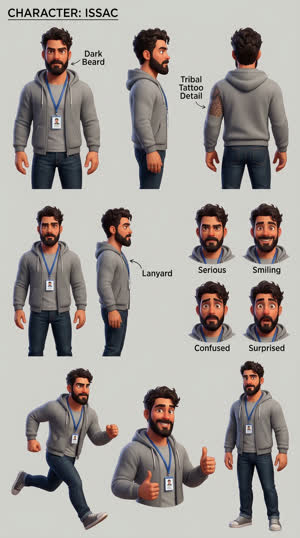
Say what each picture is in one line. "@Image2 is Issac" is enough. A model given four pictures and no labels will guess which one is the room and which is a person, and sometimes guess wrong.
The model fills every gap
When the prompt and the pictures leave something open, the model fills it in from whatever it has. Two real examples from our tests.
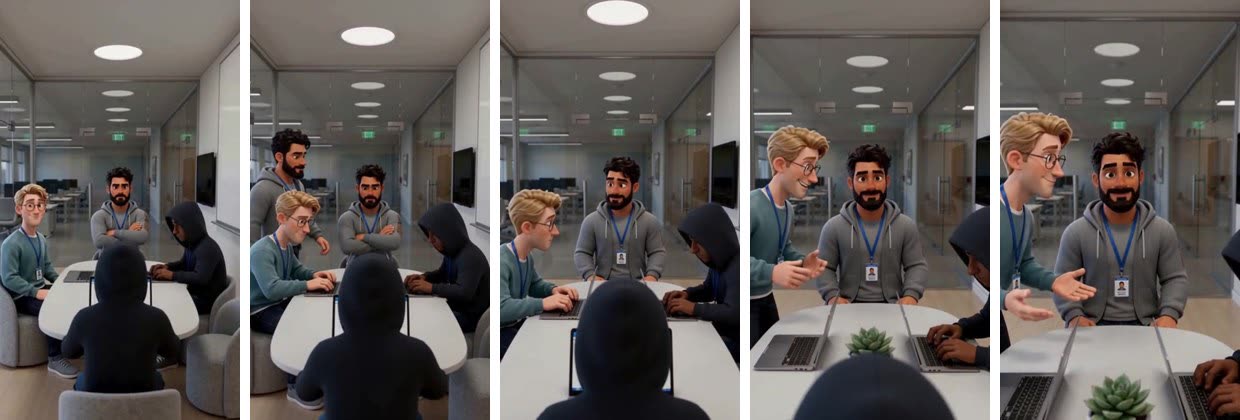
In a clip where we sent start and end frames, a second Issac walked in behind Brett.
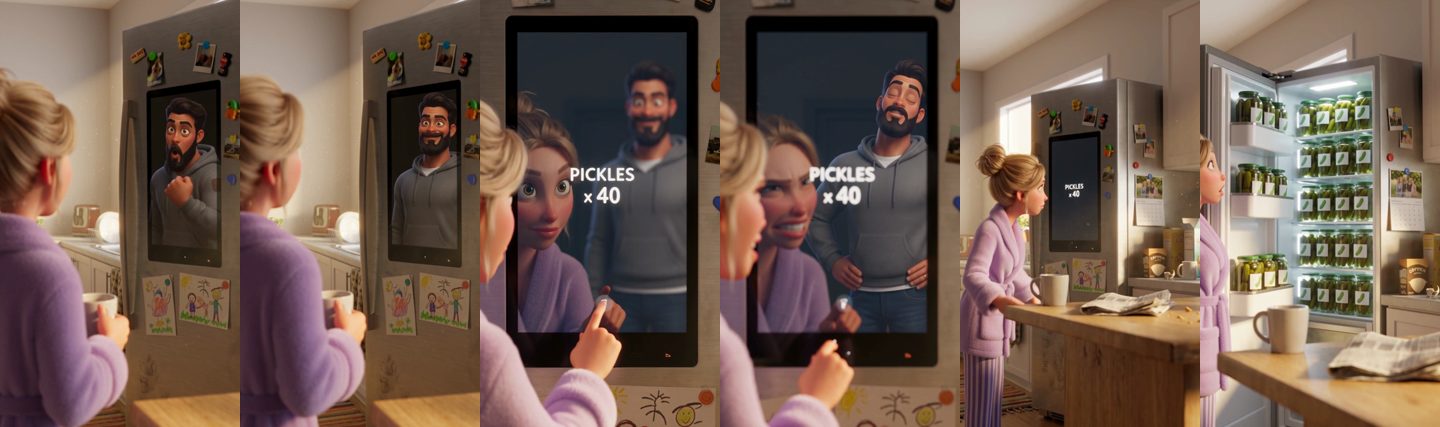
In another, sent white character sheets, the model put Isaac's face on the fridge's touchscreen in the first shot, and left him out of the last one.
Pitfall
When a person shows up twice, don't rewrite the whole prompt. Add one line to that clip, such as "No pictured person appears twice: everyone in the frame is one distinct person.", and shoot it again. Rules written for one bad clip and added to every prompt can make the other clips worse.
Voices: one sample per speaker, one line each
Send a short recording of each speaker's voice and say whose it is: "@Audio1 is Isaac's voice and @Audio2 is Dana's voice: use them only for how each one sounds." Then put each line in the beat where it is said, with the speaker's name in front.
Voice samples are references, like the sheets. Some ways of sending a clip switch references off, and the voice goes with them. Start and end frames appear to do this on Seedance 2.5 and Wan 3.0; we wrote that up in Why we don't use start and end frames.
Joins: send the end of the clip before
When a clip carries on from the one before, send the previous clip's last frame as a picture and its last 3 seconds as a video reference. That gives the model where everyone was: who stands where, which way they face, what is in their hands.
Then let each clip end as its last movement ends. We once added a line asking for the last half second to be held still, to make joins easier. It made them worse: clips froze at the end, and the episode stuttered at the joins. Now each prompt asks for the last movement to end on the clip's final frame.
A whole episode
This is a full episode of our demo show Power Couple, shot clip by clip in ShowMaker and joined, with its opening title.