Why AI video looks flat, and the fix that worked
The model copies the room from your scene picture. Ours drew every place as an empty set, and our prompt told the model to ignore the lighting in every picture, so clips came back clean, evenly lit and lifeless. A lived-in scene picture, and a shorter prompt that says the look first, fixed it.
29 October 2026 4 min read
Our early ShowMaker clips had good faces and good voices, and still looked cheap. Plain walls, flat light, nothing on the counters. We took one 15-second clip from a test show and shot it again and again on Seedance 2.5, changing one thing at a time, until it stopped looking flat. Every clip here is the same scene, with the same voices, at 480p.
The clip we started from
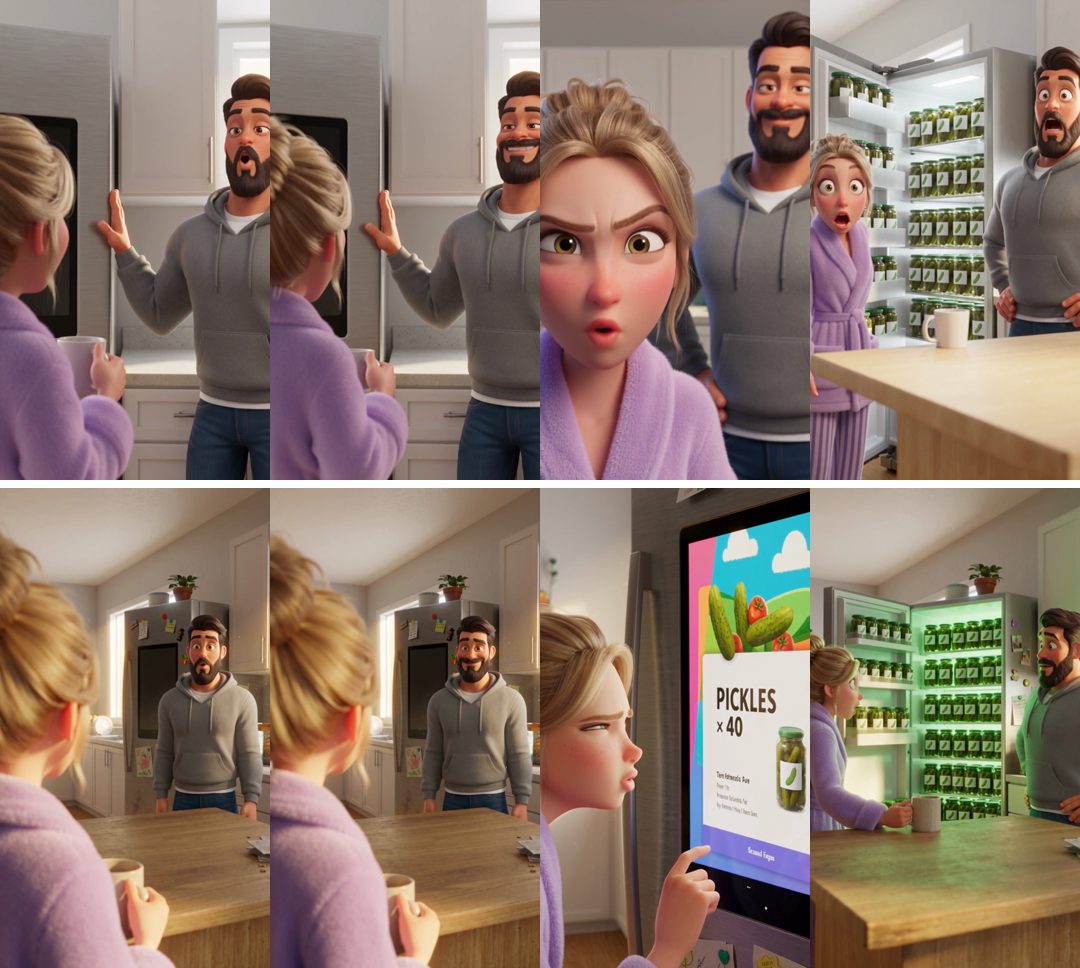
Isaac shows Dana the new smart fridge, and it has ordered forty jars of pickles. This is what the app made before the fix.
The acting is fine and the faces are right. The kitchen is the problem: white cabinets, an empty counter, light that comes from nowhere.
Where the flat look came from
Two things in what we sent took the life out of the room.
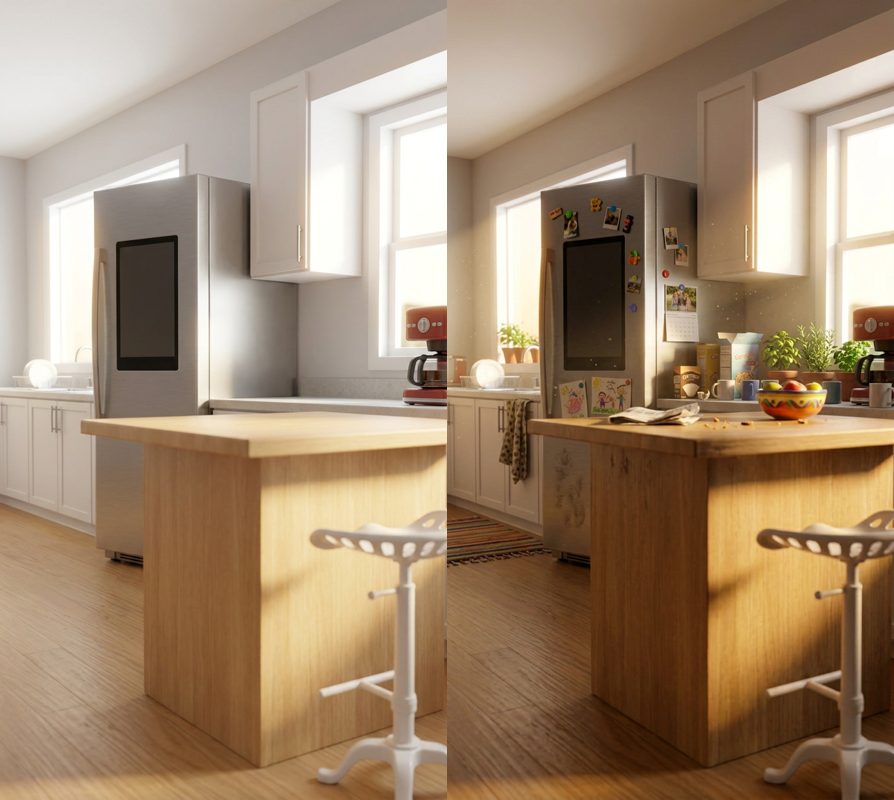
- The scene picture was an empty set. We drew each place with "nobody in it, an empty set, ready for the shot". And empty is what came back: no clutter, no lamps on, nothing anyone had touched.
- The prompt switched off the light in the pictures. To stop the model pasting the character sheets' white backgrounds into the scene, our prompt said to ignore the backgrounds and lighting of every reference picture. That included the scene picture, the one picture whose light we wanted.
Changing one thing at a time
First we swapped in the lived-in kitchen and dropped the line about ignoring the pictures' lighting. Everything else stayed the same, the long prompt included.
That one change did most of the work. Our verdict at the time: "The scene is full of stuff and it's way better."
Then we went after the acting. Our prompt was 5,445 characters, and about 200 words a beat: the room described again, every face, every sound, where everyone ended. We cut it to 2,040 characters and moved the look to the first line: "Stylized 3D animated feature film, cinematic CGI with soft volumetric morning light and rich detail."
Pitfall
Short can go too far. Our first short prompt dropped the line saying where each person stands, and people popped in and out of frame between shots. If that happens, put one line back on where everyone is and which way they face, and say who is in frame in each beat.
Pictures carry more than you think
One more thing surprised us. The fridge screen in the best clip looks designed, with a pickle picture and buttons. That came from a picture, not the prompt: one of the character pictures we sent showed the fridge screen lit up. When we sent plain character sheets on white instead, the screen came back as plain text in three clips out of three, and in one of them the characters looked at the camera at the end instead of at the fridge.
The rule we took from it: the model fills every gap with whatever your pictures show. If something matters, such as a screen, a sign or where people look, either show it in a picture or say it in the prompt.
What ShowMaker does now
Every place in a ShowMaker show is drawn lived in: the clutter of the people who use it, its own lamps and screens, real light through the windows, and still nobody in it. Each clip's prompt is short and opens with the show's look.
When one clip still goes wrong, say what you saw in plain words, such as "people pop in and out" or "the room looks different", and Zip, ShowMaker's assistant, adds the matching fix to that clip only: the staging line, or the line that says the place and its light come from the scene picture. You see the price of shooting it again before anything is made.